 Ecqo
EcqoStop losing your tabs.
Ecqo saves your tabs, replies to the emails they kicked off, and remembers exactly where you left off — all from one Chrome popup.
- Save unlimited tab sessions
- Never miss a follow-up email
- Jump back to your exact scroll spot
Trusted by 100+ Chrome users · Pro from $6/month.
One workflow, not three apps
Other tools only solve one piece — a tab manager, an inbox, or a task list. Ecqo connects all three, so nothing gets lost between them.
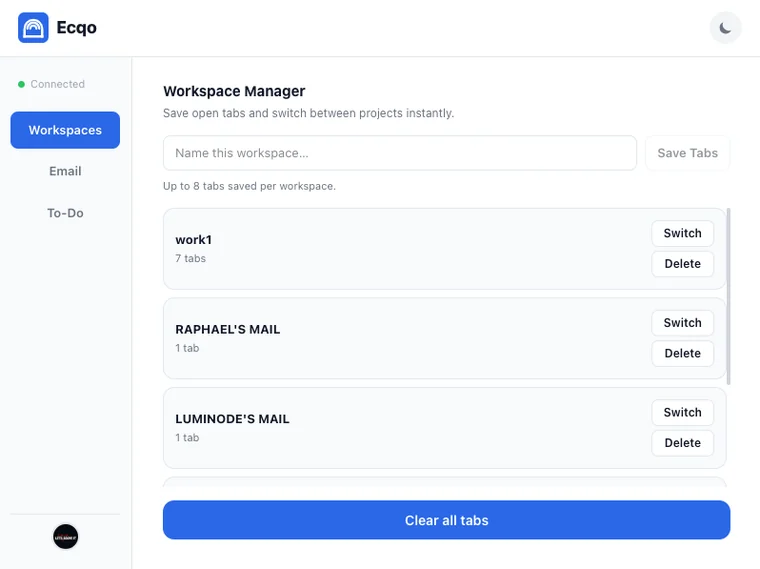
1. Save the workspace
Save your open tabs (up to 8 per workspace) as a named session. Come back and switch projects in one click without losing anything.
Up to 3 workspaces free on Basic · Unlimited + cross-device sync on Pro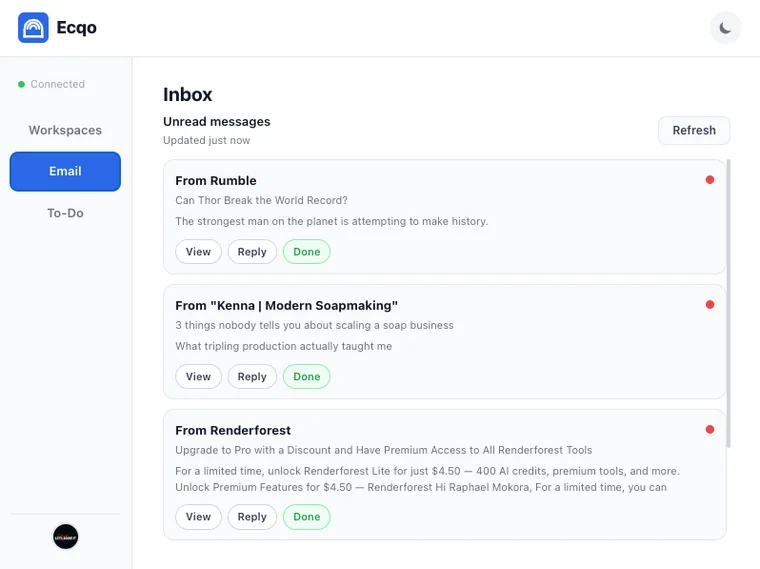
2. Triage what it kicked off
Ecqo's Gmail integration turns the popup into a lightweight email client — read messages and attachments on Basic, reply and archive on Pro, with email notifications so nothing slips by.
Reading free on Basic · Reply & archive on Pro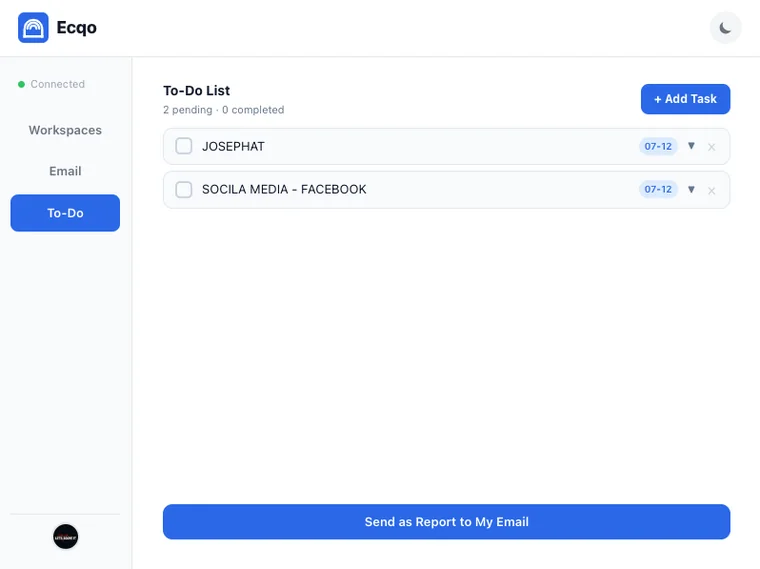
3. Clear what's left to do
A built-in task manager with drag and drop tasks — turn loose ends into a to-do list, reorder by priority, check them off, then email yourself a summary when you're done.
Available on Pro planUp and running in minutes
Install
Add Ecqo to Chrome from the Chrome Web Store.
Choose a plan
Basic is free forever. Upgrade to Pro any time with checkout by Paddle.
Get your key
Your license key arrives by email instantly — no payment needed for Basic.
Activate
Open the extension and click 'I've subscribed' — it activates automatically, no key to copy or type.
Loved by Chrome users
Real reviews from the Chrome Web Store.
Oh my goodness...this extension is what I needed. Thanks so so much
Awesome well detailed
Simple, lightweight and does exactly what it promises. I love ecqo, it doesn't bombard you with annoying ads or upgrade prompts. It sits quietly in my toolbar until I need it. A must-have for productivity.
Simple, honest pricing
Basic is free forever. Pro adds a 5-day free trial.
- ✓Up to 3 saved workspaces
- ✓Read Gmail (view only)
- ✓Link shortener
- ✓Free forever
- ✓Unlimited workspaces
- ✓Read, reply & archive Gmail
- ✓Desktop notifications
- ✓To-do list + email reports
- ✓Page notes & "Remember my spot"
- ✓Cross-device sync
- ✓Priority support
- ✓5-day free trial
minimum 3 seats
- ✓Everything in Pro, per seat
- ✓Invite teammates by email
- ✓Manager badges & task assignment
- ✓Assigned tasks in the To-Do panel
- ✓Priority support